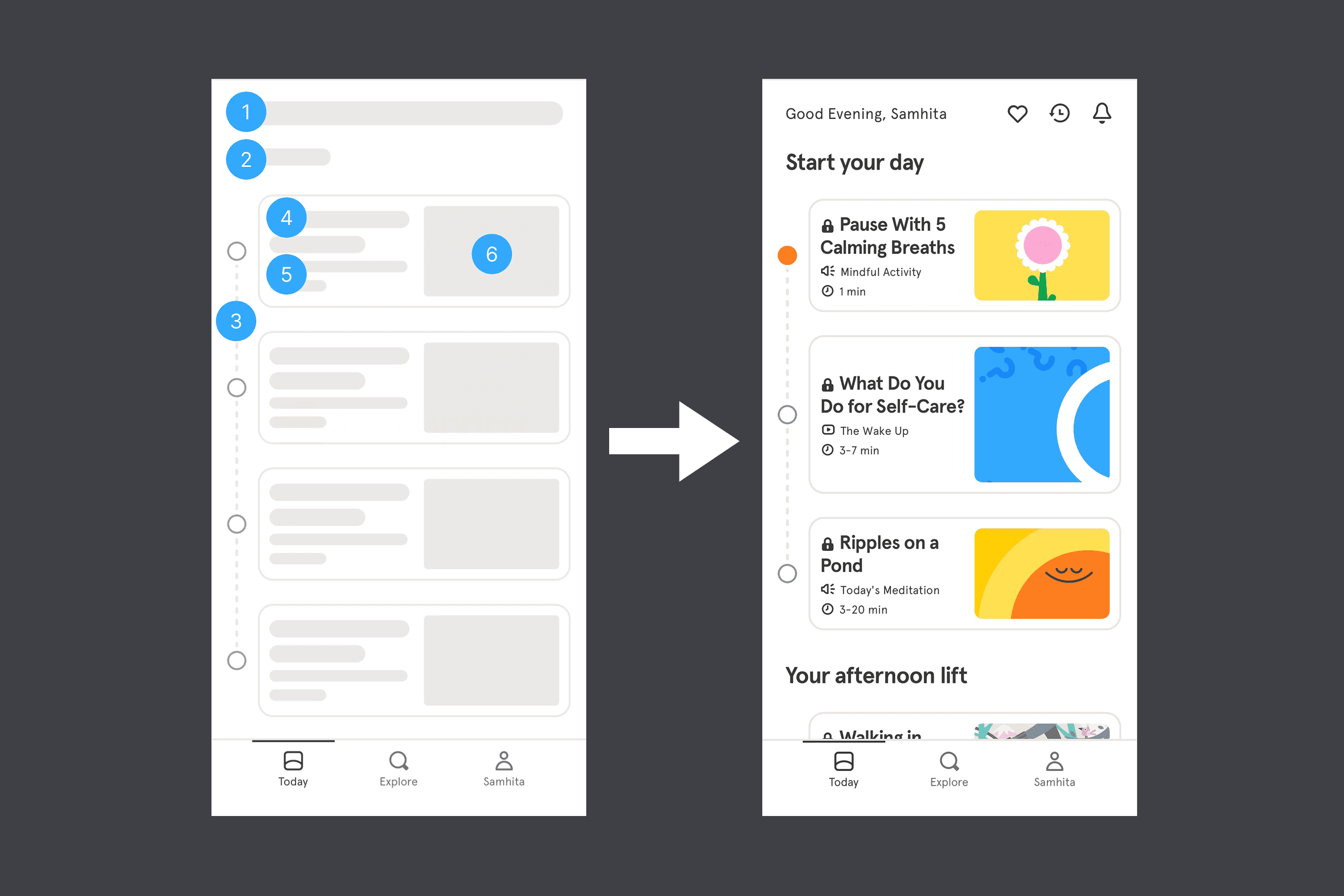
Skeleton screens reduce perceived wait time by showing structure immediately, and prevents layout shift.
How fast an interface feels to a user is just as important as how fast it technically is, and designers can influence perception directly.
- Skeleton Screens: Instead of a blank page or spinning loader, show grey placeholder shapes that mimic the incoming layout. The brain reads this as progress, not waiting; used by LinkedIn, Facebook and Amazon on feed loads.
- Optimistic UI Updates: React to a user's action immediately, before the server confirms the result. When you "like" a post and the heart turns red instantly, the app is assuming success and correcting only if something goes wrong.
- Pre-emptive Loading: Begin loading the next page quietly in the background when a user hovers over a link, so by the time they click, the content is already on its way.
- Critical Content First: Load and display the most important on-screen content first, deferring heavy images and secondary elements until later. Users feel the page is ready even if parts of it are still loading off-screen.
- Instant Feedback: Give buttons and actions a visual response the moment they are triggered. A brief micro-animation on click reassures users their action was registered, reducing perceived wait time without changing any actual load time.
- Explain the Delay: If a process genuinely takes time, tell the user why. A message like "Generating your report" makes the wait feel intentional rather than broken.