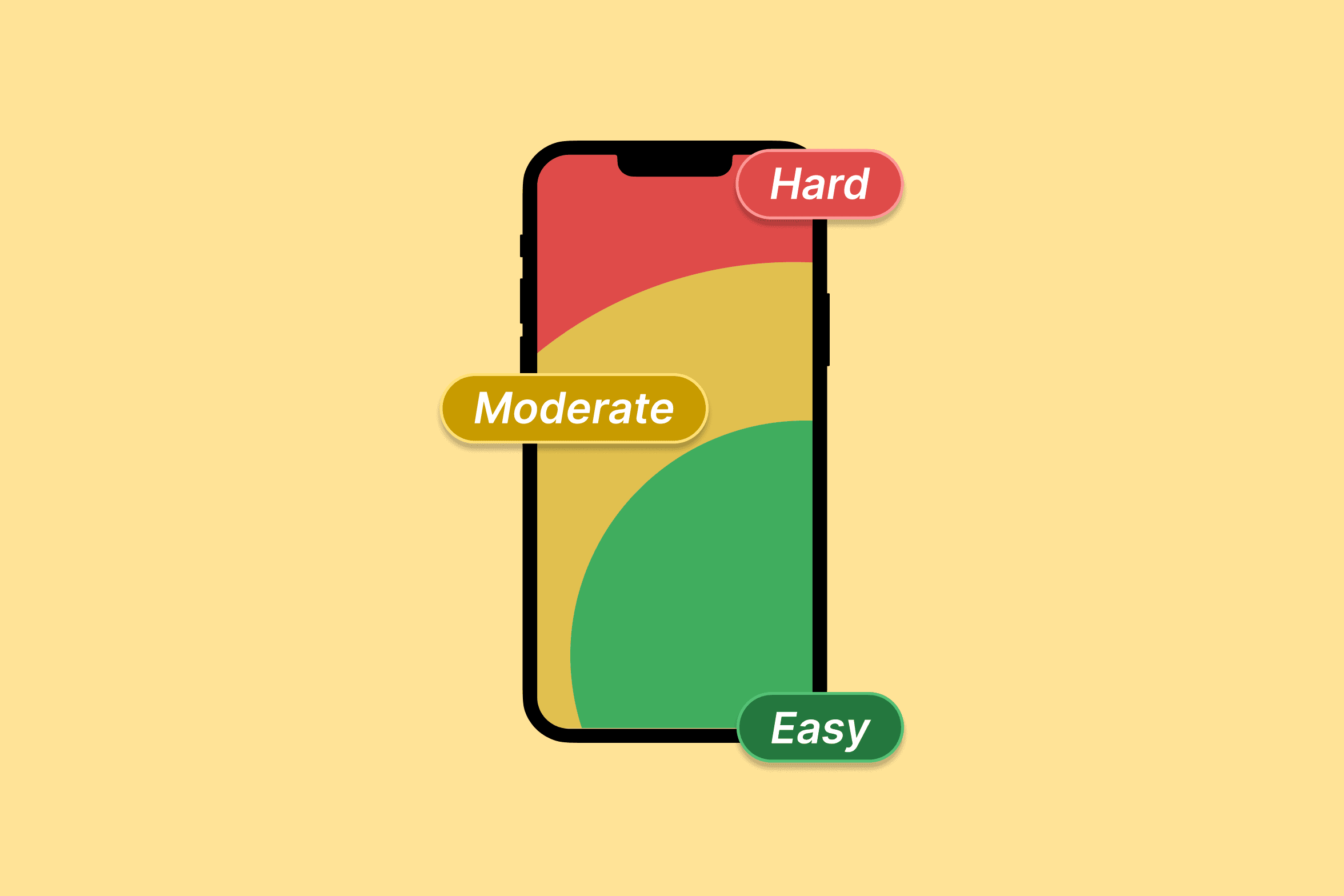
Place key actions in the easy-to-reach zone of the screen.
The Principle Established by Paul Fitts in 1954, this law states that the time required to move to a target is determined by the distance to the object and its size. In simple terms: larger and closer targets are easier to hit.
Core Design Strategies
- Size Matters: Critical actions (like "Sign Up" or "Pay Now" should be large enough to be clicked or tapped without extreme precision. Small targets increase error rates and user frustration.
- Proximity to Action: Place related elements near each other. For example, a "Submit" button should be close to the final form field to minimize the "travel time" of the cursor or thumb.
- The Power of Edges: Screen edges and corners are "infinitely large" because the cursor cannot move past them. This makes the Windows Start menu or the macOS Apple menu extremely easy to acquire.
- The Thumb Zone: On mobile, place primary interactive elements within the natural reach of the user's thumb (typically the bottom half of the screen) to reduce physical strain.
- Invisible Padding: If an icon is small, increase its invisible "hit area" (padding) so users can trigger the action even if they aren't pixel-perfect.
When to Break the Law Sometimes you want to slow the user down. Destructive actions, like "Delete Account" can be made smaller or placed in harder-to-reach areas to prevent accidental clicks.