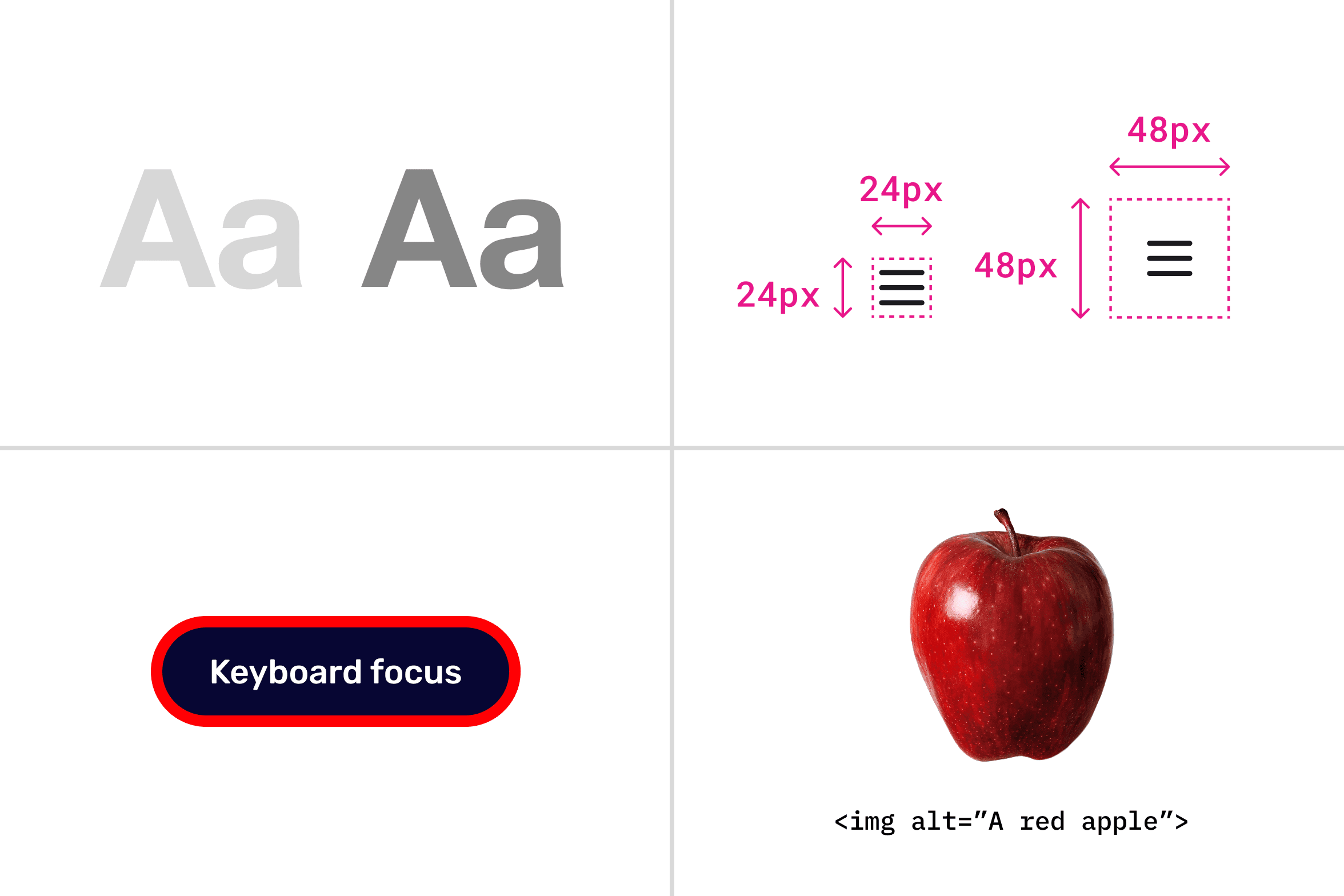
Key WCAG criteria: contrast, touch target size, focus visibility, and alt text.
POUR breaks accessibility into four questions. Here are two most actionable principles from each, ones you'll check first in Figma or during handoff.
Perceivable: Can they see/hear it?
- 1. Color Contrast (WCAG 1.4.3 AA): Text needs 4.5:1 contrast ratio against backgrounds. Test your designs with tools like Stark or WebAIM checker, dark text on light backgrounds fails most often.
- 2. Image Alt Text (WCAG 1.1.1 A): Every meaningful image needs descriptive alt text (e.g., "Designer reviewing wireframes on laptop" vs. "image.jpg" Decorative images get empty alt""
Operable: Can they use it?
- 1. Keyboard Navigation (WCAG 2.1.1 A): Every interactive element (buttons, links, forms) must be reachable and usable via Tab key alone, no mouse needed. Test by using the website with only your keyboard.
- 2. Target Size (WCAG 2.5.5 AA): Buttons/links need 24x24 CSS pixels minimum. Small icons kill mobile accessibility.
Understandable: Can they read it?
- 1. Readable Text (WCAG 3.1.5 AA): Use common words at 8th-grade reading level. Avoid jargon overload, tools like Hemingway App flag complex sentences.
- 2. Predictable Navigation (WCAG 3.2.3 AA): Consistent layouts (logo top-left, menu top-right) help users with cognitive disabilities. Don't surprise them with random button placements.
Robust: Does it work everywhere?
- 1. Semantic Headings (WCAG 1.3.1 A): Use proper H1, H2, H3 tags for structure, not just styling. Screen readers jump between headings, styled divs break this flow.
- 2. ARIA Labels (WCAG 4.1.2 A): Custom interactive elements (e.g., sliders, accordions) need aria-label or aria-labelledby for screen readers.
Tip: Master these 8 first: they cover 80% of WCAG issues.